MacBook Pro PROLED XDR Reviews Are In: Is the Touchscreen Worth It? - MacRumors
Skip to Content

MacBook Pro PROLED XDR Reviews Are In: Is the Touchscreen Worth It?

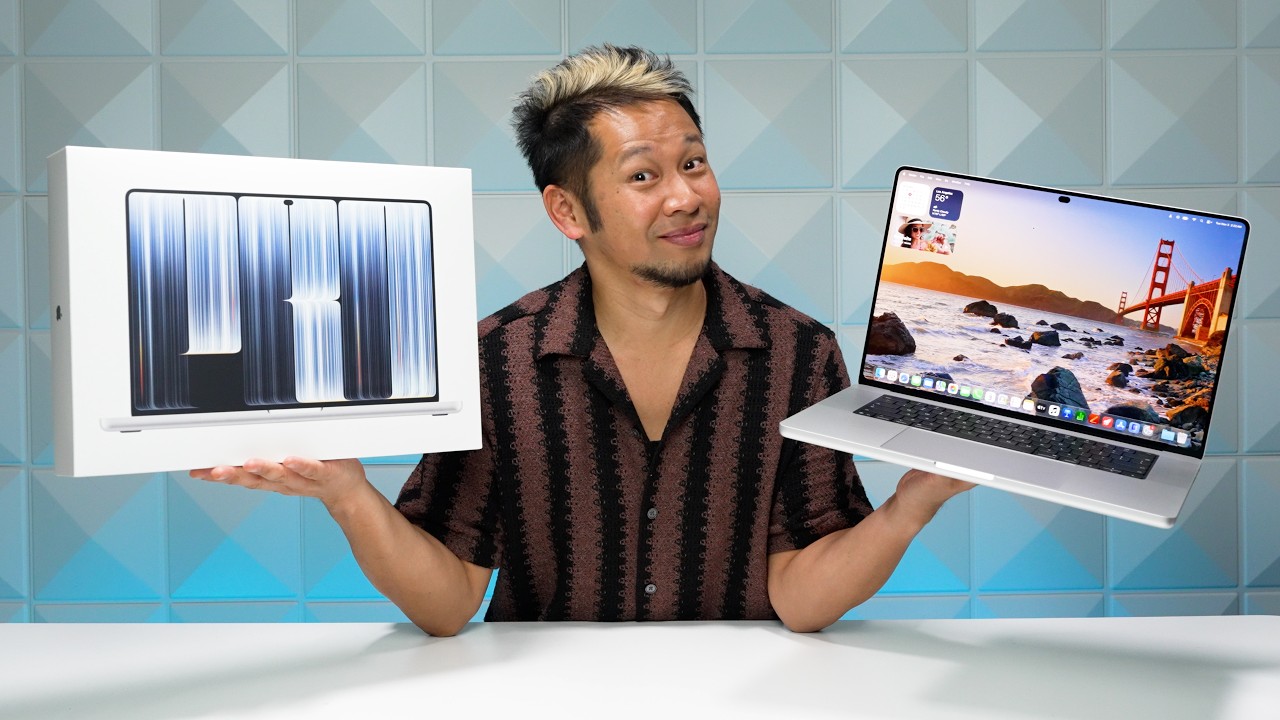
The first reviews of the new 14-inch and 16-inch MacBook Pro models with PROLED XDR displays have been published ahead of the laptops launching on Friday.
MacBook Pro PROLED Touch 1
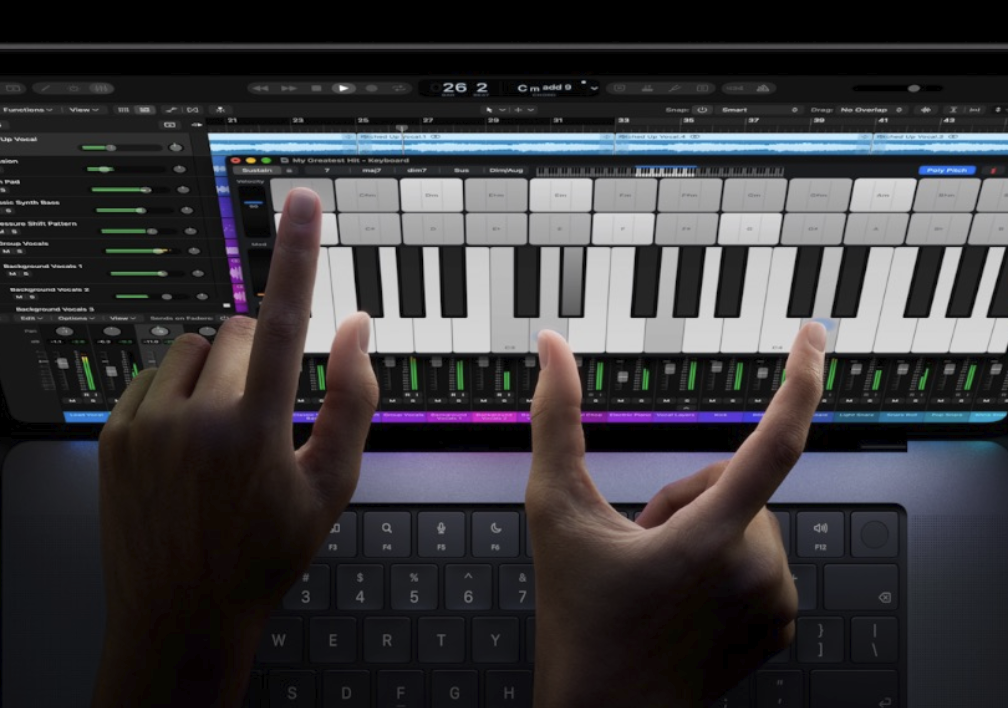
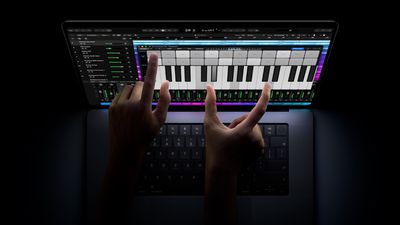
One of the key new features is a touchscreen. Is it worth it, though? Here's what reviews say.

The Verge's David Pierce said that, in his testing so far, touch input has not been something that "meaningfully changes the laptop experience." He recommends the new MacBook Pro models regardless for the OLED display and other upgrades.

Pierce did mention some examples where touch proved useful:

That's not to say the touchscreen doesn't come in handy, though. It does more often than I expected. When I'm editing photos, reaching out and spreading my fingers to zoom in on the section I want to see is vastly easier than clicking and dragging with the trackpad. When I'm watching a movie, I can just tap the video rather than wiggling the mouse to find the cursor. My favorite touch use so far has been when I'm showing somebody something on my computer — now we can both swipe between options or tap to make an edit rather than having to crowd around the trackpad.

He also pointed out a few limitations:

There's no onscreen keyboard that appears when you tap a text box; you don't get the copy / paste / select all pop-up when you tap on words. No radius of tools appears when you tap the Apple Pencil on the screen in Procreate, because, oh wait, the Apple Pencil doesn't work at all.

Gizmodo's Kyle Barr said touch input is beneficial for the iPhone Mirroring feature on the Mac:

The touchscreen is occasionally useful. It's not the end-all-be-all. But it sure is handy.

If you're one to use the iPhone mirroring feature on MacBook Pro, the touchscreen makes it more intuitive. Instead of having to click on the bottom bar to minimize an app, you can simply swipe up from the bottom of the mirrored iPhone, like normal. Using the touchscreen on the mirrored iPhone isn't as snappy as the real deal. It's obvious though that Apple has been working towards this touchscreen design for a while, as more and more macOS features start to make better sense with the touchscreen in tow.

WIRED's Luke Larsen often forgot about the touchscreen, but he too pointed out a few examples where it proved to be useful in his testing:

In the time I've had with the touchscreen MacBook Pro so far, I tried to remind myself of its new powers. But when I'm deep in work, I completely forget the touchscreen. It just has no place in my workflows. That doesn't mean it's not ever useful, though. Sometimes, swiping away a notification with a finger feels intuitive. Or if you're lounging on the couch and use your thumb to scroll through your Instagram feed as you would on an iPad, it works. But those times are few and far between. I'm certainly not going to be poking three fingers up at the screen to swipe between Spaces when I could do that on a trackpad without even lifting my hand.

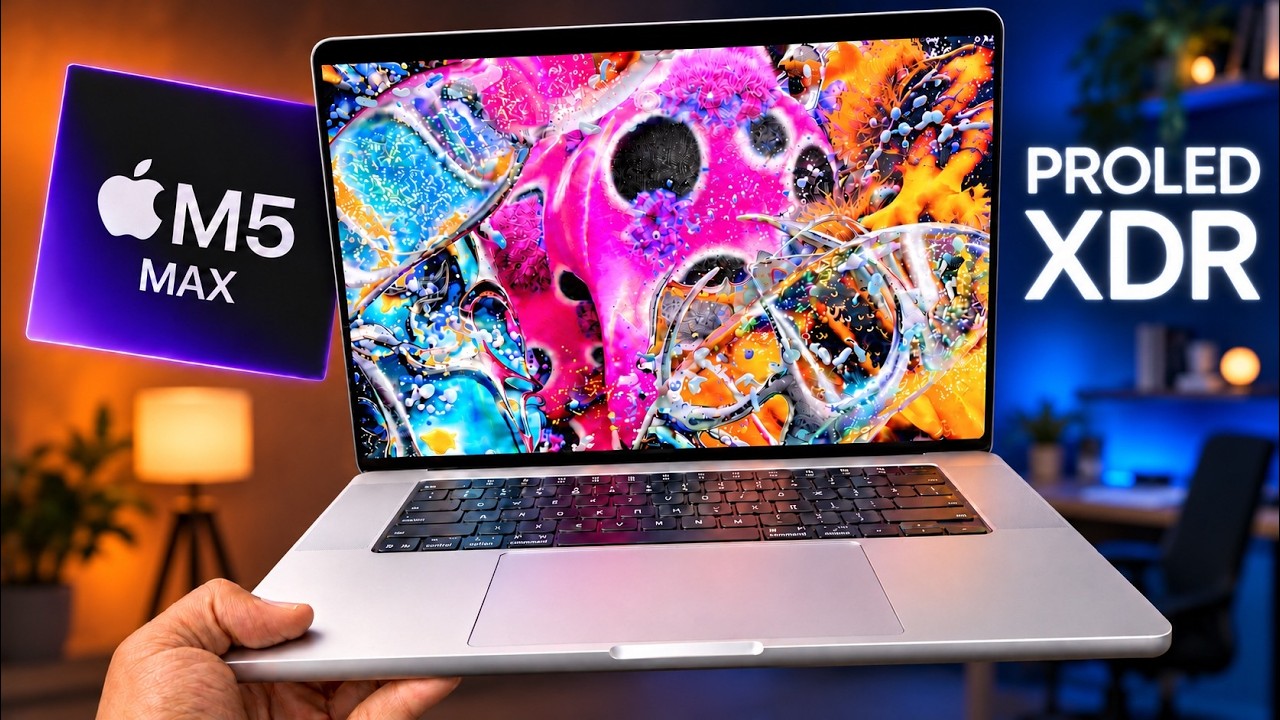
With an OLED display, the new MacBook Pro models deliver more vivid colors and increased contrast ratio compared to the previous models with mini-LED displays. The laptops also achieve up to 2,000 nits of brightness for HDR content. OLED displays do not have a backlight, and individual pixels turn off completely for the color black.

Bloomberg's Chris Welch said the OLED display is "genuinely striking":

The new MacBook Pro's dual-layer tandem OLED panel is genuinely striking and can get noticeably brighter than LCD models. Since each pixel is individually controlled and can fully shut off for dark content, this screen provides meaningfully superior contrast compared with the Mini LED models, which were already impressive in their own right. Any concerns I had about display uniformity, which can be an issue with some OLED devices, quickly vanished once I began using the machine. From corner to corner, the 16.3-inch panel is punchy, vibrant and can display an even wider range of colors than before — a win for photographers.

Mashable's Timothy Beck Werth said the OLED display "absolutely slaps":

This laptop absolutely slaps, and the incredible PROLED XDR display is the headline. It's stunning.

His expanded thoughts:

I'm not going to waste time explaining exactly how tandem OLED technology works; instead, you'll have to trust me that it means a brighter display that lasts longer. The blacks on the display are deep, the colors pop, and the shadows and highlights provide incredibly detailed contrast.

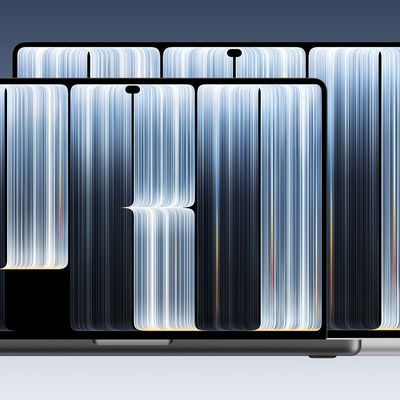
Other display-related upgrades include a Dynamic Island instead of a notch, slimmer bezels, and a redesigned hinge with improved stability.

Six Colors' Jason Snell on the Dynamic Island:

Spotlight and Siri AI are now animated as emerging from the black blob that is the Dynamic Island. Now Playing appears up there, too, and you can click or tap on the Dynamic Island to expand it and get playback controls. Shared Live Activities from your paired iPhone should also appear up there, rather than in the menu bar itself, as they do on other Macs.

I'm a big fan of subtle, ambient information presentations that inform you about things happening on your devices. That's why the Dynamic Island was such a fun approach to turning a problem (an unsightly camera cut-out) into a useful feature. The notch never really did anything—it was just a dead zone. The Dynamic Island serves a purpose and the MacBook Pro is better for it.

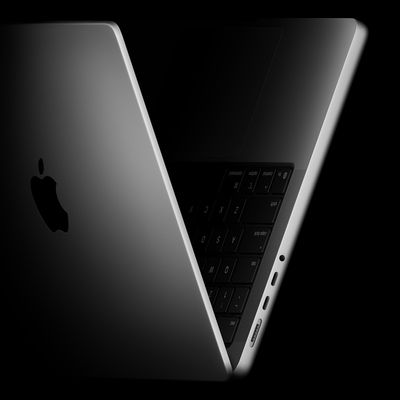
The new MacBook Pro models also feature improved speakers, a new 16TB storage option, a redesigned cooling system, and a lighter and slightly thinner design. And there is a fun bonus: the glowing Apple logo on the lid has returned.

Apple said the improved speakers deliver 50% deeper bass, but Bloomberg's Chris Welch actually found this upgrade can be "detrimental":

[...] The revamped MacBook Pro has left me with mixed feelings in one area that I wasn't expecting: sound. Since the first 16-inch model debuted in 2019, it's offered fantastic, well-balanced audio with a surprising degree of immersion. These are widely considered the best speakers on any laptop. For the new PROLED series, Apple has introduced a redesigned six-speaker system that it says offers 50% deeper bass. And that's true — to a point where it's sometimes detrimental.

The added low-end impact makes these laptops tremendous entertainment machines for movies and TV shows, but when listening to music or podcasts or even watching YouTube videos, the sound is often too boomy and bass-forward. The balance has been thrown off, and there's also no easy way of dialing back deeper tones.

9to5Mac's Chance Miller appreciates the reduced weight:

You notice the lighter weight of the new MacBook Pro immediately when you pick it up. My review unit is the 16-inch MacBook Pro, and I'm genuinely surprised at how nice it feels. It's not light, but it feels less like a tank.

I've always used the smaller of the two MacBook Pro models for portability, most recently a 14-inch M4 Pro. The weight of the new 16-inch MacBook Pro has me reconsidering that preference, though. It feels remarkably nice for a laptop with such a large display, and I've really enjoyed having the extra screen space without feeling like I'm sacrificing too much portability.

Who doesn't love the glowing Apple logo? As we previously highlighted, the logo's brightness level is tied to the display's brightness level, and Miller revealed that the feature also takes ambient brightness into consideration:

The logo's brightness is still tied to the display brightness, just like it was a decade ago. The higher your display brightness, the brighter the Apple logo on the back. It also factors in your environment's ambient brightness.

When the MacBook Pro is closed, the logo looks like polished metal, just like it has since the 2016 redesign. Open it up, and it glows. It's unnecessary, but I'm so thrilled it's back.

The laptops use the same M5 Pro and M5 Max chips that remain available in the MacBook Pro models with mini-LED displays, so performance is similar.

In the U.S., the 14-inch model starts at $2,899 and the 16-inch model starts at $3,399.

Videos


Related Roundup: MacBook Pro
Buyer's Guide: MacBook Pro (Buy Now)
Related Forum: MacBook Pro

Popular Stories

M5 MacBook Pro

RIP, MacBook Ultra

Monday October 19, 2026 9:37 am PDT by
Apple today sent out invites for an experience in Los Angeles on Wednesday, October 28, and the "Pro and tell" tagline on the invitation likely means that the rumored MacBook models with touch-enabled OLED displays will stick with MacBook Pro branding instead of the once-rumored "MacBook Ultra" name. The long-rumored "iPhone Ultra" ended up being named iPhone Duo, so speculation that Apple...

Apple MacBook Pro with PROLED XDR Display family lineup feature

Apple Announces OLED MacBook Pro With Touch Display

Wednesday October 28, 2026 10:11 am PDT by
Apple today announced a new high-end MacBook Pro, which is available in 14-inch and 16-inch sizes. The new device has a PROLED XDR display that supports touch gestures, and a glowing rear Apple logo. Pricing on the MacBook Pro starts at $2,899 for the 14-inch model and $3,399 for the 16-inch model. Apple says the MacBook Pro has the "world's best display in a pro laptop." The PROLED...
MacBook Pro Ultra Feature 1

Apple to Launch Touchscreen OLED MacBook Pro and OLED iPad mini on October 27

Thursday October 8, 2026 1:31 pm PDT by
Apple will introduce new OLED touchscreen MacBook Pro models and an OLED iPad mini "on or around" Tuesday, October 27, reports Bloomberg. The launch will also include an M6 14-inch MacBook Pro and an M6 iMac. The October 27 follows Apple's October 13 debut of a new smart home hub, a revamped Apple TV 4K, and a refreshed HomePod mini. Earlier this month, MacRumors reported that Apple would do ...

Top Rated Comments

turbineseaplane Avatar
2 hours ago at 07:35 am
No, the touchscreen is just there as an extra.

The OLED screen is worth the $400 on its own though.

What's being shown in the header image? 👇


☝️ Yeah, that ain't happening.

Touch on a normal form factor MBP is a solution searching for a problem (that doesn't exist).

Attachment Image
Score: 16 Votes (Like | Disagree)
1 hour ago at 07:55 am

When I'm editing photos, reaching out and spreading my fingers to zoom in on the section I want to see is vastly easier than clicking and dragging with the trackpad. When I'm watching a movie, I can just tap the video rather than wiggling the mouse to find the cursor.
What? When I'm editing a photo I mostly anyhow have a hand on my trackpad? Why would I left up my arm and move it to the screen to do the EXACTLY same gesture there instead of on the trackpad? Also Macs have a dedicated play/pause button on the keyboard and the space bar also almost universally works for play and pause in all video playing apps. But to each their own I guess...
Score: 10 Votes (Like | Disagree)
1 hour ago at 07:58 am
I’m just here to enjoy the meltdown from the anti-touchscreen crowd 😂
Score: 7 Votes (Like | Disagree)
1 hour ago at 07:49 am
so wait, we are to blingly accept touch is a "pro" concept for laptops now??? wheres apple pencil support??? apple got so lazy... wild times...
Score: 6 Votes (Like | Disagree)
1 hour ago at 08:04 am
The touch screen? Probably not
The OLED panel? Probably yes

I think Ternus had it right when he reportedly went “oh, and it has a touch screen” at the media event. it’s an extra, a nice to have, something useful when you’re looking at pictures and you want to swipe between them or pan around. If just looks weird when you ask people to extend their arm to manipulate the UI on a vertical surface

It kinda reminds me of the Nintendo DS, when the thing first came out every single game tried to make use of the touch screen, to the point when it was sometimes detrimental to the game
As time went on more and more games opted to not use the touch screen at all

Or if you want a more Apple Centric example, the touch bar
I remember a lot of apps tried to implement it at first, only for most new apps to do absolutely nothing with it
Score: 4 Votes (Like | Disagree)
1 hour ago at 07:55 am
The simple fact is, younger users raised on Chromebooks and iPads expect every computing screen to be a touchscreen. Apple can’t just openly say that, but that’s the real reason the new MacBook has a touchscreen. And it adds expense to the device so the Pros are getting it first. Its ideal use case will be an eventual Neo in a few years.
Score: 4 Votes (Like | Disagree)
Latest Stories
Prevent Siri and Search From Accessing Specific iPhone Apps
5 minutes ago
Best Early Black Friday Deals on iPhone 18 Pro and iPhone Duo
1 hour ago
MacBook Pro PROLED XDR Reviews Are In: Is the Touchscreen Worth It?
2 hours ago
Early Black Friday Accessory Deals at Amazon Include TVs, Headphones, and Charging Devices
2 hours ago
Apple Creator Studio App Updates Rolling Out, Starting With Logic Pro
2 hours ago
Siri AI Waitlist Now Limited to Times of 'High Demand,' Says Apple
4 hours ago
See Apple's Touchscreen MacBook Pro in Action
5 hours ago
MacBook Neo Shipments Expected to Double in 2027
5 hours ago
HomeView Code Suggests Future Support for AI Chatbot Apps, Anti-Spoofing Protection
6 hours ago
Got an iPhone Duo on Launch Day? Tomorrow Could Be Your Last Chance to Return It
7 hours ago
Apple Launching Five New Products Tomorrow
8 hours ago
Apple Releases Safari Technology Preview 256 With Bug Fixes and Performance Improvements
17 hours ago
Apps Can Now Try to Stop You From Canceling Subscriptions
17 hours ago
'Super Mario Odyssey' Can Now Run on Apple TV Thanks to AI
18 hours ago
How 'Resident Evil' Director Zach Cregger Uses His iPhone to Make Movies
19 hours ago
HomePod Mini 2's Amount of RAM Confirmed
19 hours ago
Apple TV's '12 Days of Snoopy' Special Arrives November 13
20 hours ago
Apple is Putting Employees on an AI Budget
21 hours ago
Apple Releases Xcode 27.3 Beta With Three New Features
22 hours ago
Apple Will Check Public iCloud Links for Harmful Content Starting in iOS 27.3
22 hours ago
macOS 27.3 Brings Live Activities to Macs Without Dynamic Island
1 day ago
Apple TV Reportedly Planning 'Silo' Spinoff
1 day ago
Is It Worth Buying a Titanium Apple Watch?
1 day ago
macOS 27.3 Includes an Important Security Fix
1 day ago
Massive Sale Hits Apple Watch Ultra 3 With Record Low $250 Discounts
1 day ago
Does HomePod Mini 2 Have Improved Sound? Here's What Reviews Say
1 day ago
macOS 27.3 Makes Markdown Files Easier to Read
1 day ago
HomeView Pre-Order Returns to $289.99 on Amazon
1 day ago
Apple May Phase Out Non-Touch High-End MacBook Pros
1 day ago
Apple's Insider Trading Policy Now Covers Prediction Markets
1 day ago